> ## Documentation Index
> Fetch the complete documentation index at: https://guide.canape.im/llms.txt
> Use this file to discover all available pages before exploring further.
# 행운선물 수정하기
> 행운선물 디자인 수정 방법에 대해 안내해드릴게요.
 ## 행운선물 색상 적용 범위
행운선물의 색상은 아래와 같이 적용돼요.
* 포인트 컬러 🎨
: 시작버튼, 상자 리본
* 서브 컬러 🖌️
: 선물 상자
## 행운선물 이벤트 머신 커스텀
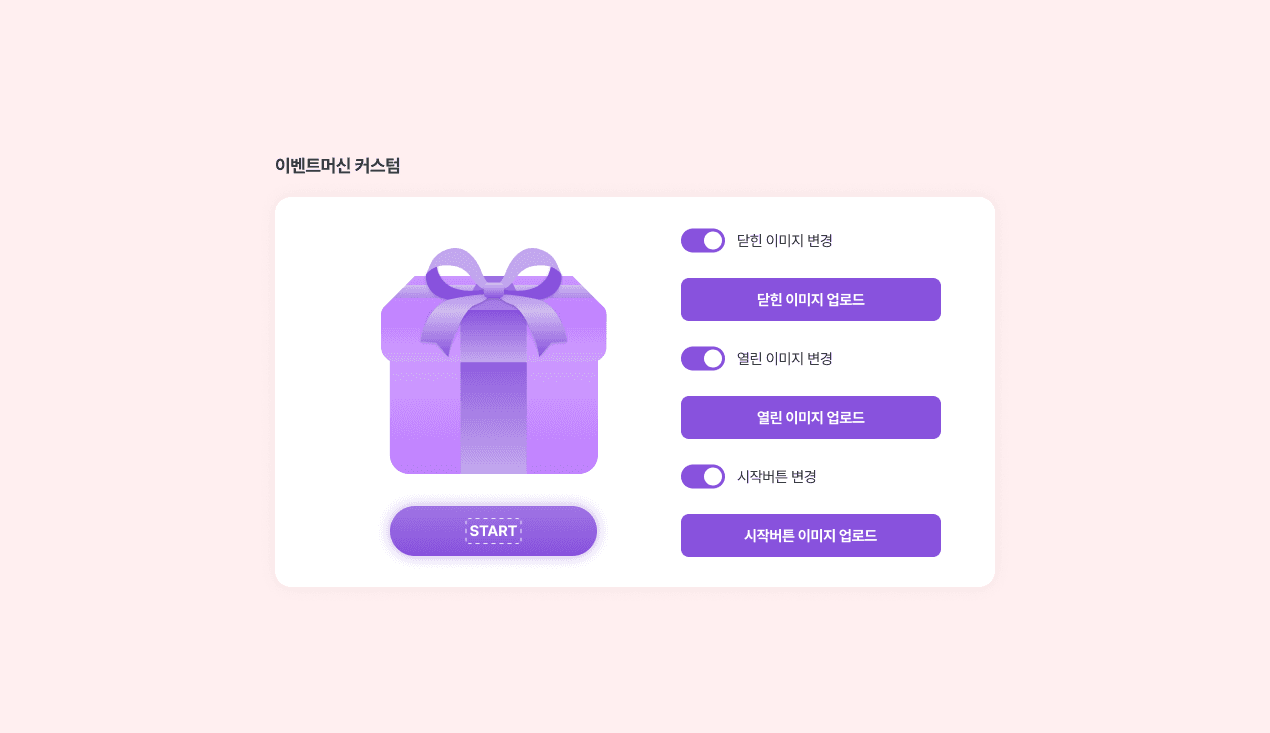
행운선물의 커스텀 가능 요소는 다음과 같아요.
* 선물 상자 - 닫힌 이미지 (이벤트 시작화면)
* 선물 상자 - 열린 이미지 (에니메이션 이후 보여지는 이미지)
* 시작버튼
**수정 방법**
1. 행운선물 이벤트를 생성한 뒤, `스타일` 탭의 `이벤트머신 커스텀` 부분으로 스크롤을 내려주세요.
2. 커스텀 하고 싶은 요소의 스위치를 활성화 한 뒤, 원하는 이미지를 업로드해주세요.
## 행운선물 색상 적용 범위
행운선물의 색상은 아래와 같이 적용돼요.
* 포인트 컬러 🎨
: 시작버튼, 상자 리본
* 서브 컬러 🖌️
: 선물 상자
## 행운선물 이벤트 머신 커스텀
행운선물의 커스텀 가능 요소는 다음과 같아요.
* 선물 상자 - 닫힌 이미지 (이벤트 시작화면)
* 선물 상자 - 열린 이미지 (에니메이션 이후 보여지는 이미지)
* 시작버튼
**수정 방법**
1. 행운선물 이벤트를 생성한 뒤, `스타일` 탭의 `이벤트머신 커스텀` 부분으로 스크롤을 내려주세요.
2. 커스텀 하고 싶은 요소의 스위치를 활성화 한 뒤, 원하는 이미지를 업로드해주세요.