> ## Documentation Index
> Fetch the complete documentation index at: https://guide.canape.im/llms.txt
> Use this file to discover all available pages before exploring further.

# 성과 및 통계 확인 방법

> 콘텐츠 배포가 완료됐다면, 이제 성과와 데이터를 확인할 차례입니다! 성과를 어떻게 볼 수 있는지 쉽게 알려드릴게요.

<img src="https://mintcdn.com/dodamind-b0c9d0b4/wVEEI7qyy-ndSu0y/images/ojXxUP3AZnxPjjCPmRCEAeYCMJw.avif?fit=max&auto=format&n=wVEEI7qyy-ndSu0y&q=85&s=c6a163db3260389a573a48bbb14771e6" alt="ojXxUP3AZnxPjjCPmRCEAeYCMJw.avif" width="2048" height="819" data-path="images/ojXxUP3AZnxPjjCPmRCEAeYCMJw.avif" />

## 확인 방법

다음 3가지 방법을 통해 ‘성과 및 통계’를 확인할 수 있어요!

편집하고 있는 이벤트의 **편집기 상단 메뉴** 의 ‘성과’ 메뉴 클릭
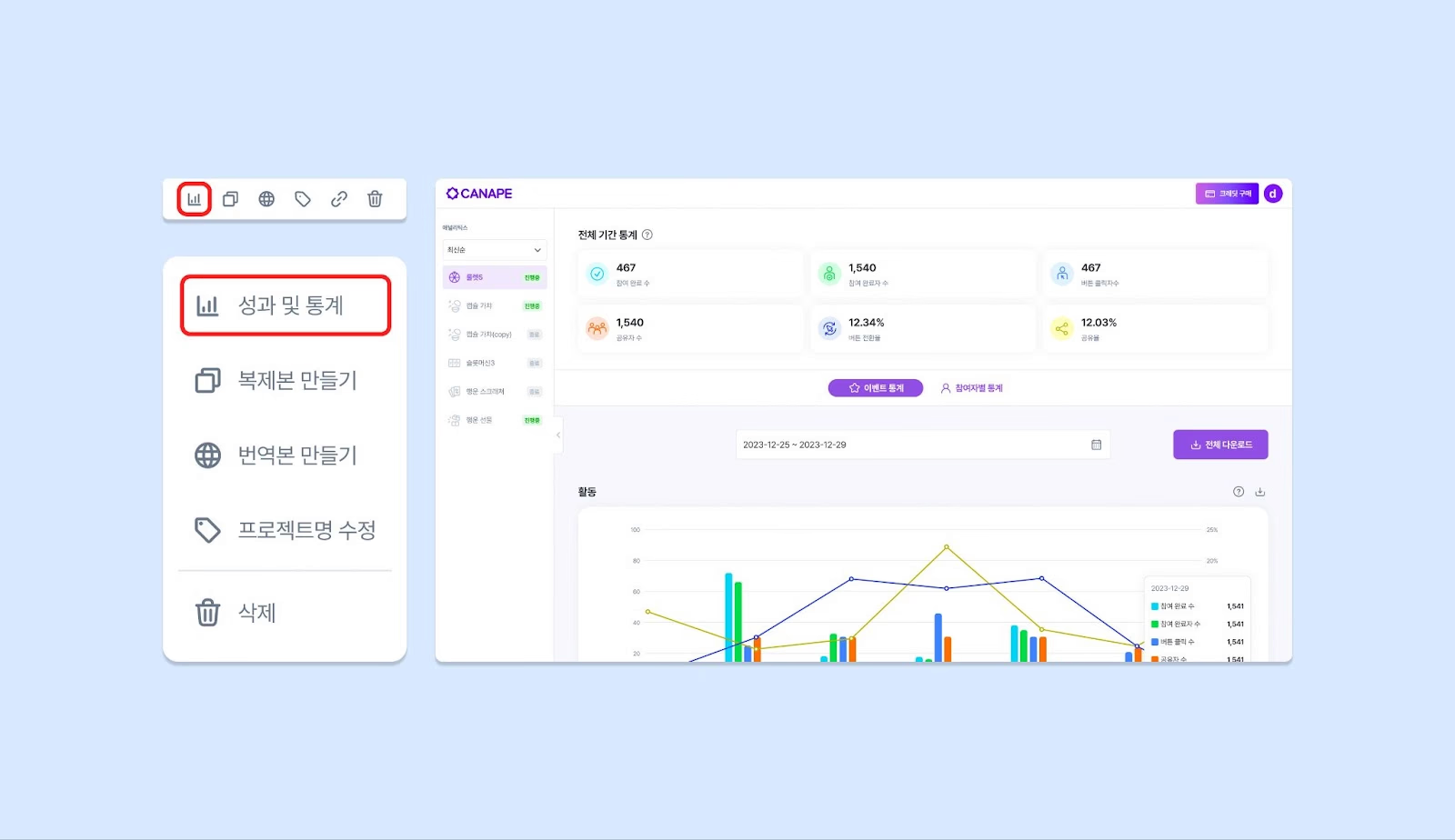
<img src="https://mintcdn.com/dodamind-b0c9d0b4/7BUewupiRqkpkJg9/images/image.png?fit=max&auto=format&n=7BUewupiRqkpkJg9&q=85&s=344643ff8a06fa215d554d57a54fad93" alt="image.png" width="1600" height="924" data-path="images/image.png" />

‍

**메인화면 좌측 하단** ‘성과 및 통계’ 클릭 후, 좌측에 확인하고 싶은 이벤트 선택
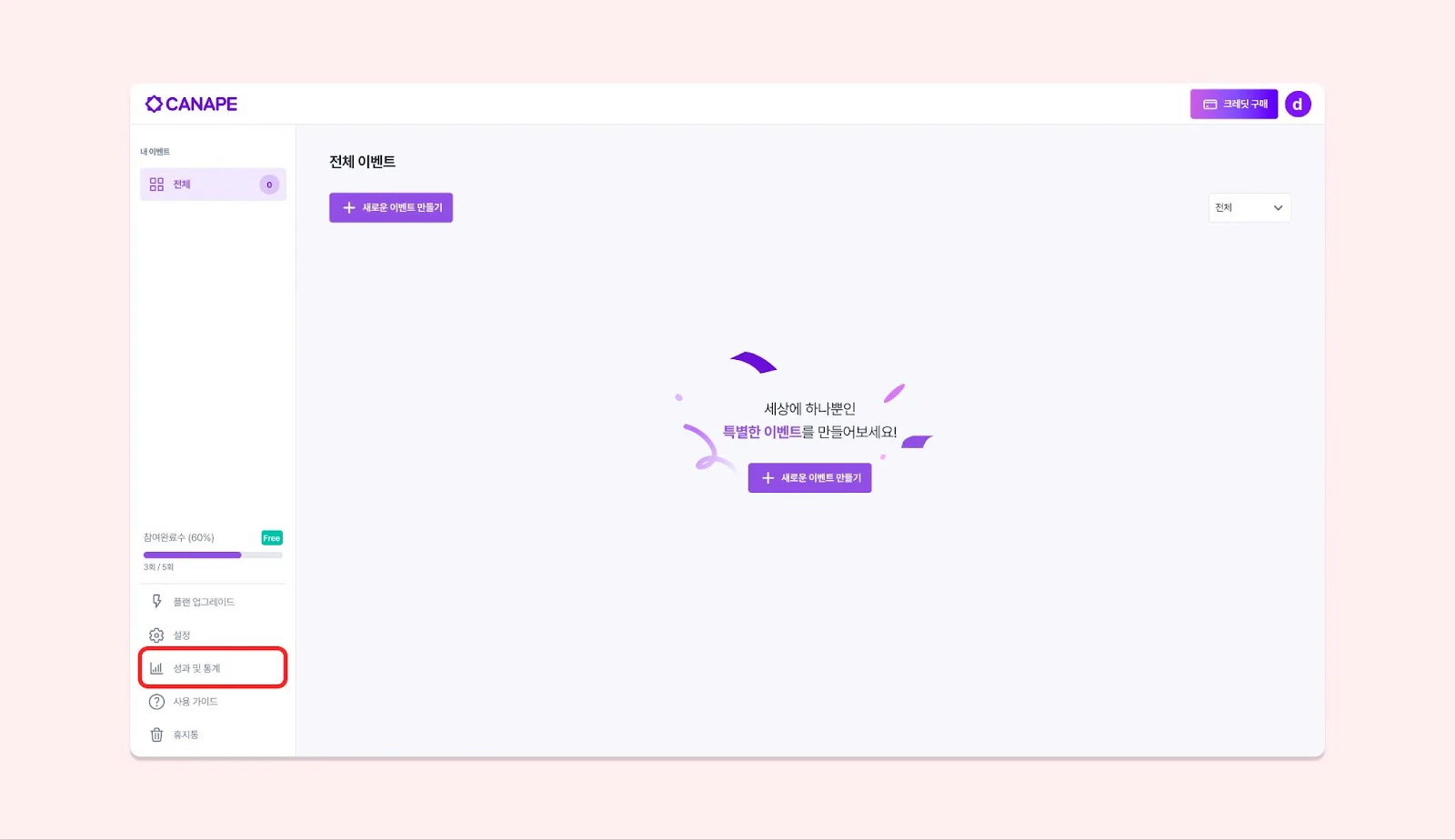
<img src="https://mintcdn.com/dodamind-b0c9d0b4/e9iplnsYYQ-N8YOm/images/zbmbrITr5EIQocuzotMI198X4.avif?fit=max&auto=format&n=e9iplnsYYQ-N8YOm&q=85&s=d1c66a7ed54845329fbd86830434e0fb" alt="Zbmbr I Tr5ei Qocuzot MI198X4 Avi" width="1600" height="924" data-path="images/zbmbrITr5EIQocuzotMI198X4.avif" />

메인화면에서 결과를 확인하고 싶은 **이벤트 카드 하단에** ‘성과 및 통계’ 아이콘 클릭
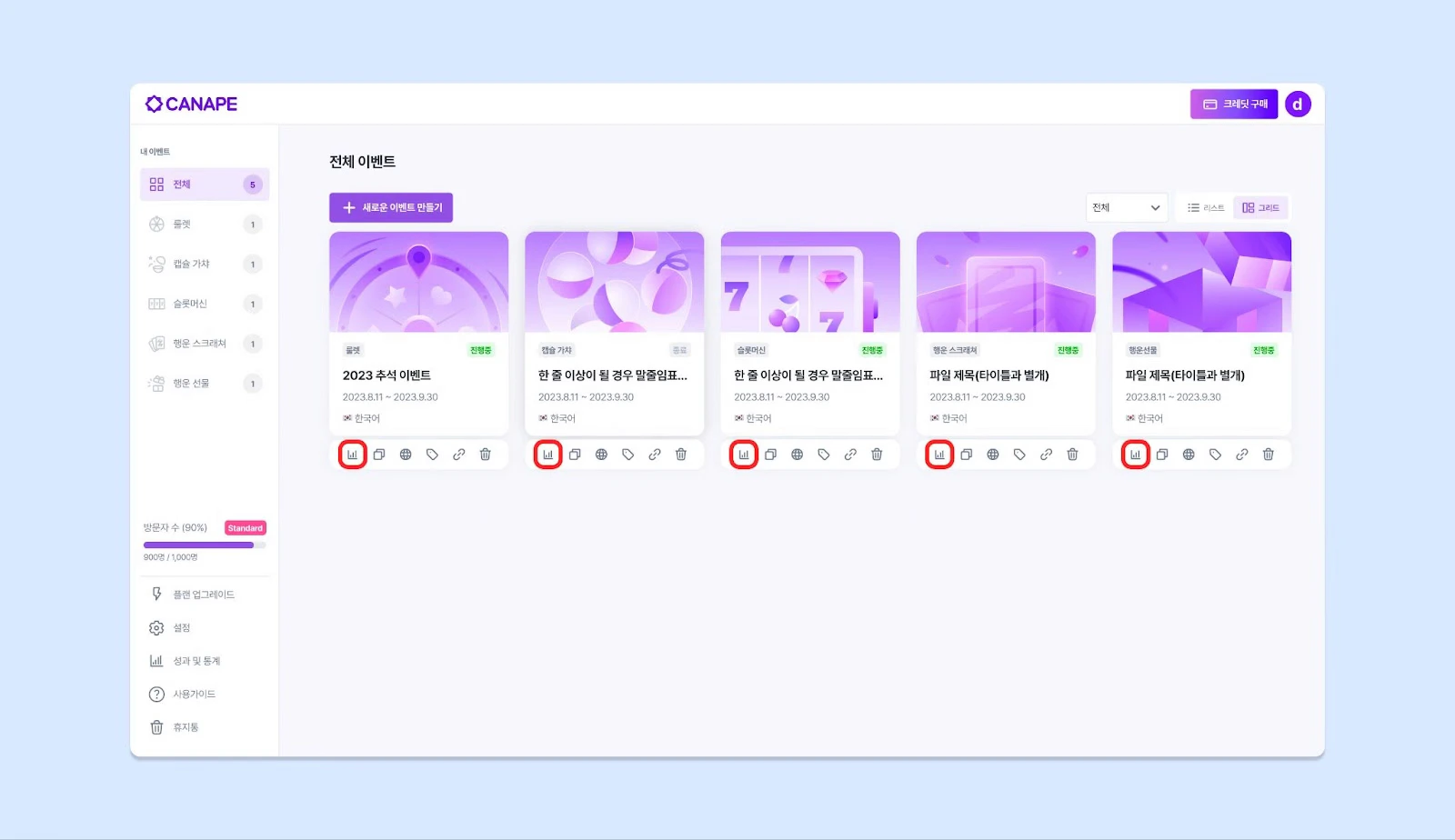
<img src="https://mintcdn.com/dodamind-b0c9d0b4/e9iplnsYYQ-N8YOm/images/g54sx5bXY0X2PGERcgML68ghGws.avif?fit=max&auto=format&n=e9iplnsYYQ-N8YOm&q=85&s=b8db4dd373f1b07e7ed5e98dedfdba3f" alt="G54sx5b XY0X2PGE Rcg Ml68gh Gws Avi" width="1600" height="924" data-path="images/g54sx5bXY0X2PGERcgML68ghGws.avif" />
